Posts
Same but different
Poking around in PubMed with a visual search tool such as Search Workbench can reveal an interesting pattern: different concepts sometimes perform similarly over time even though they refer to fairly distinct sets of citations.
To illustrate what I mean, let’s start with two searches that are closely related. For instance, “myocardial infarction”[MeSH Terms] is a slightly more precise rendition of “heart attack”, and both searches return very similar results:
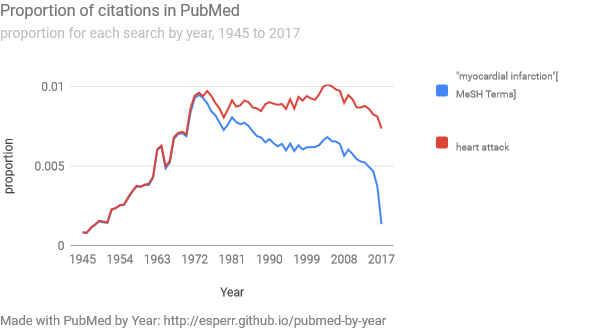
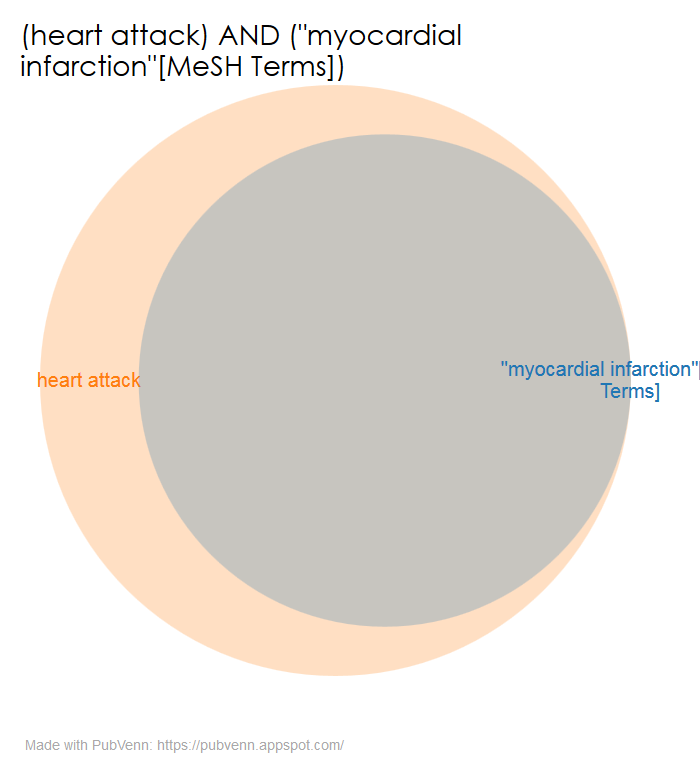
The fact that both searches are so closely aligned over time is no surprise, given that they refer to roughly the same set of citations.
Similarly, when we do searches for “beer” and for “wine”, we also see a close alignment in terms of proportion-of-citations-by-year:
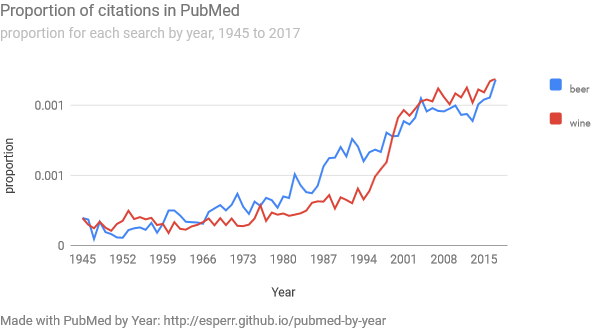
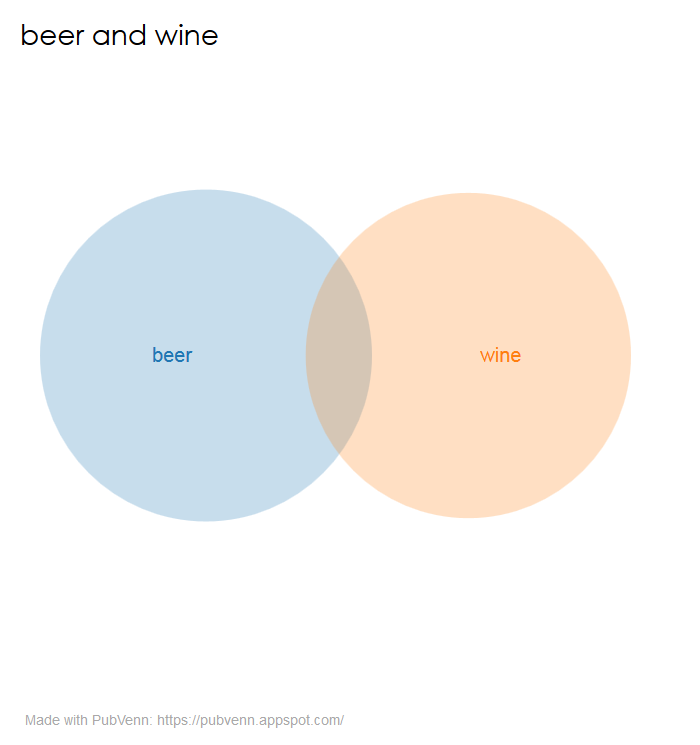
“Well,” one might think, “it is probably that there are a lot of citations for articles about alcoholic bevereges, and ‘beer’ and ‘wine’ are both terms that show up in all those hits.” Not so much:
By the same token, the three states ‘California’, ‘Texas’ and ‘Georgia’ look very similar by year…
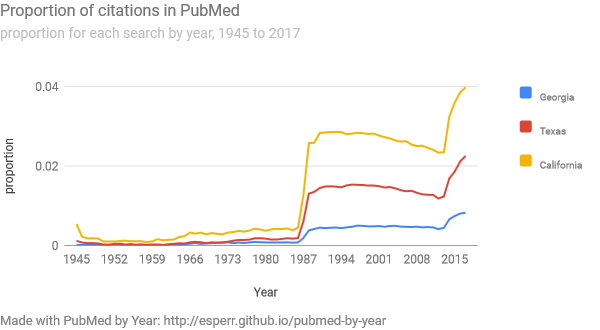
…but don’t share much otherwise:
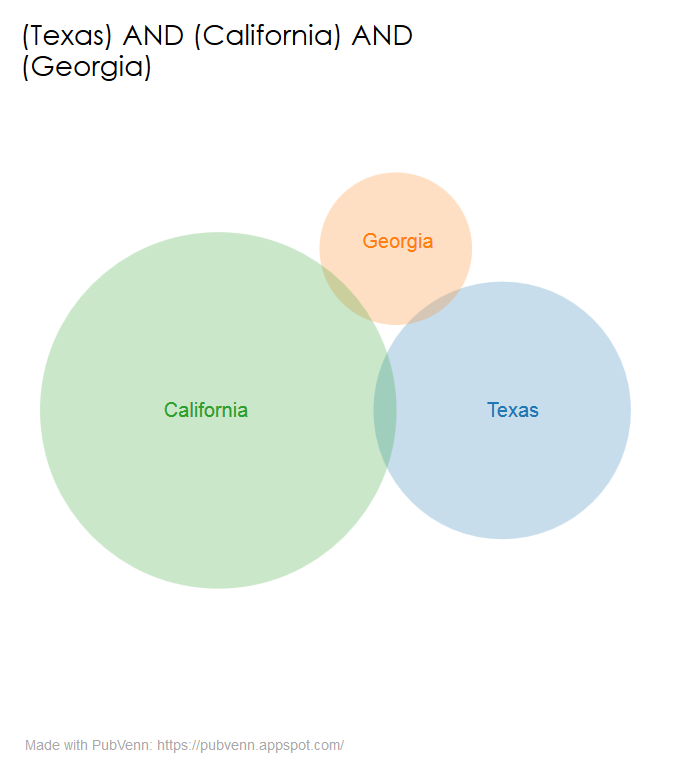
This could either be a weird one-or-two off quirk, or it could be the first intimation of a profound law of citation sets. I can’t say that I know off the top of my head, but if you do, please drop me a line: ed_sperr@hotmail.com.
– ❉ –
Printing tweaks
If you use PubVenn, you will note a small improvement in the way the printable output is handled. Now, when you click the “Printable version” link at the bottom of the Venn diagram, you will find that the image that shows up is savable as a PNG file in all browsers. This seems more directly useful than a SVG file for most use cases.
– ❉ –
Introducing Search Workbench
Today marks the formal release of Search Workbench. A natural extension of the work in Visualizing PubMed, Search Workbench allows you to examine, edit and visualize your PubMed searches from a single interface.
Each search you enter is displayed as both a Venn diagram of its constituent parts as well as a line graph showing how the proportions of your results change over time. More importantly, you can also directly compare completed searches to one another — facilitating the process of fine-tuning a search strategy.
Search Workbench allows for hand-editing the Automatic Term Mapping translation of a search and the application of one of several pre-defined hedges. It also supports the saving of individual search sessions and the sharing of those sessions as text files.
I hope this will be a useful tool for searchers – please contact me at esperr@uga.edu with any critiques or enhancement requests.
– ❉ –
Poking at Parentheses
Software Projects are sometimes 99% done, but they’re rarely completely finished. This is particularly true when the process of developing something new causes you to go back and reevaluate earlier design decisions.
The first iteration of PubVenn was geared towards maximizing the number of possible terms for any simple search (in order to maximize the number of pretty circles that could be drawn). To this end, it cheerfully ignored such details as parentheses. So any search along the lines of
((heart disease OR stroke) AND sodium) AND (diet OR food)
would search every single term. So the five individual parts of our search would be “heart disease”, “stroke”, “sodium”, “diet” and “food”.
A little more than a year ago, a helpful correspondent noted that more complex PubMed searches often involve parentheses, so it might be nice for PubVenn to reflect that fact. After some careful thought (and much perusal of code snippets on Stack Overflow), I landed on the following:
termsarray = [];
while ((term.lastIndexOf("(")) > -1) {
      var n = term.lastIndexOf("(");
      for(var i=n; i < term.length; i++){
      	if(term.charAt(i) == ')'){
          parenTerm = term.substring(n+1,i);
          termsarray.push(parenTerm);
          termPartone = term.substring(0,n);
          termParttwo = term.substring(i+1);
          term = termPartone + termParttwo;
          console.log(term);
        }
      }
    }
(note: All code adheres to the XKCD Code Quality Guidelines)
This of course finds the last iteration of a “(“ in the string, counts along until it finds a matching “)”, and snips the stuff in-between (and then repeats the process with the next “(“ until it can’t find any more). So our example
((heart disease OR stroke) AND sodium) AND (diet OR food)
…becomes a search for the three pieces: “heart disease OR stroke”, “sodium” and “diet OR food”.
This does a better job of representing parentheses in a search, and almost matches the behavior of a PubMed search. And so for a while, that was plenty good enough.
Sharp-eyed observers will note however, that this isn’t quite right. “Sodium” should be searched together with “heart disease OR stroke” instead of hanging out by itself. When developing Search Workbench, I realized that if I was going to reuse the logic for PubVenn to show comparisons between searches, I would have to reckon with figuring out nested parentheses.
We could think about doing basically the same thing as above, but making sure that instead of blindly snipping anything between two parentheses, we are careful to count along and not actually cut until we have an even number of them on each side of the string we’re snipping:
termsarray = [];
findParens(term);
function findParens() {
if ((term.lastIndexOf(")")) > -1) {
  var n = term.indexOf("(");
  for(var i=n; i < term.length; i++){
    if(term.charAt(i) == '(') { parensdex+=1 }
    if(term.charAt(i) == ')') { parensdex-=1 }
    if( parensdex == 0 && /\(/g.test(term) ) {
      parenTerm = term.slice(n,i+1);
      termsarray.push(parenTerm);
      termPartone = term.slice(0,n);
      termParttwo = term.slice(i+1);
      term = termPartone + termParttwo;
      findParens(term);
    }
  }
  } else { return; }
}
In this way, we finally end up with “(heart disease OR stroke) AND sodium” and “diet OR food”. Having searches behave this way means that it would be easy to wrap an entire search in a set of parentheses if we wanted to compare it as a unit with another search. But that is a matter for another post…
– ❉ –
MeSH Notes
Just (virtually) attended Advanced PubMed: MeSH from NNLM. Very cool! I was playing around in PubVenn with some of the examples we covered, and I found some (potentially) interesting things.
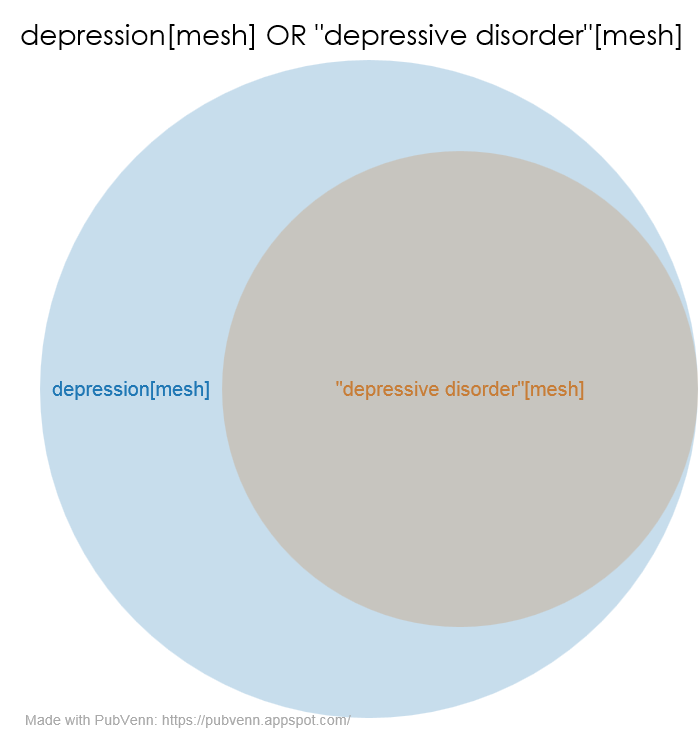
“Depression”[mesh] describes a related-but-separate concept from “Depressive Disorder”[mesh], and they live on different branches of the MeSH tree. Functionally however, Depressive Disorder ends up being a narrower heading of Depression:
♦
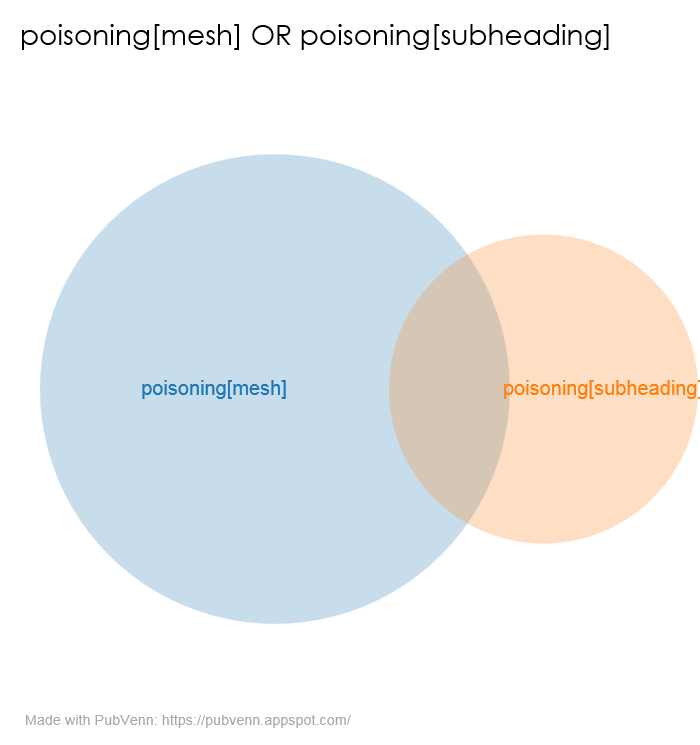
How much overlap would you expect between “Poisoning” the MeSH heading and “/poisoning” the subheading? It makes sense that they would be at least a little different, given the admonishment in the annotation to “prefer /pois with Category D & J terms”. Would it surprise you to find that they overlap by a little less than a third?
♦
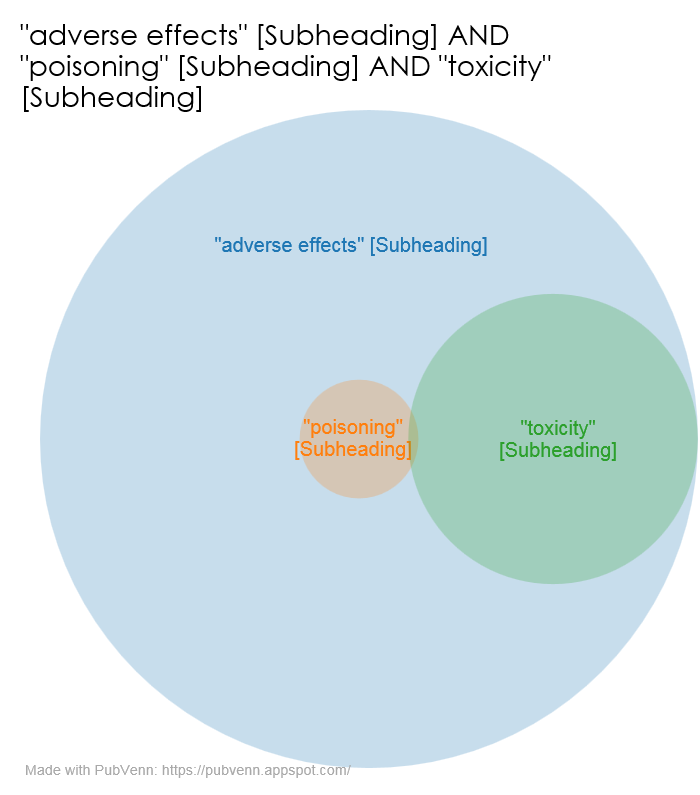
Lastly, I was reminded that subheadings, just like other descriptors, can be broad or narrow (and that the broad ones are exploded by default). This diagram isn’t so much revelatory as it is just pretty…
– ❉ –